Home »


Quick setup
Solution overview
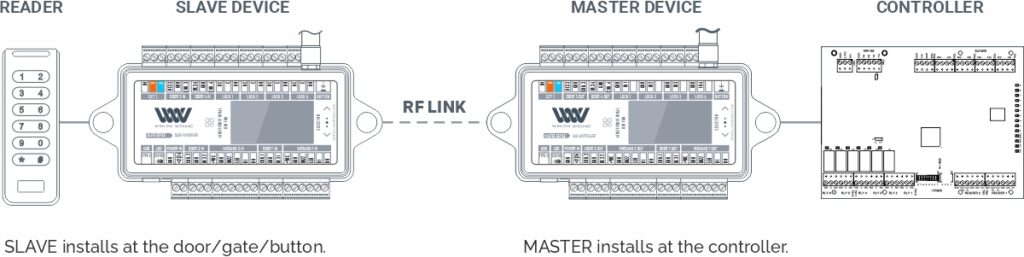
WIEGAND Connection
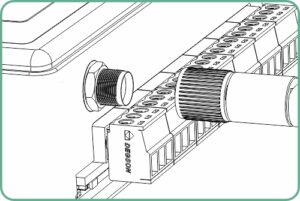
- Install antenna before applying power
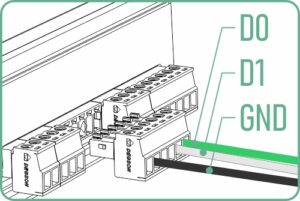
- Connect Wiegand (D0,D1, GND)
- Make all wiring connections with power OFF
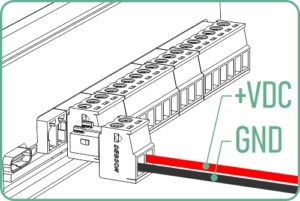
- Connect 12/24 VDC
- Draw: 0.2A@12V / 0.1A@24V (WW Only)
- If using 24V supply – only use 24V-rated readers
 CAUTION-VOLTAGE PASS THROUGH
Supply voltage passes to every connected device.
Each device`s rating must match the supply.
REX, DPS Connection
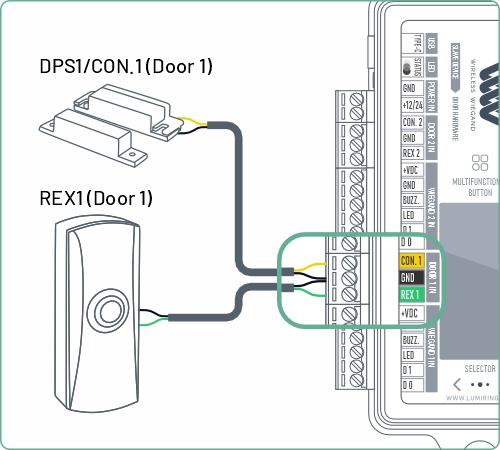
SLAVE DEVICE
Door 1 Hardware to WW Door 1 in
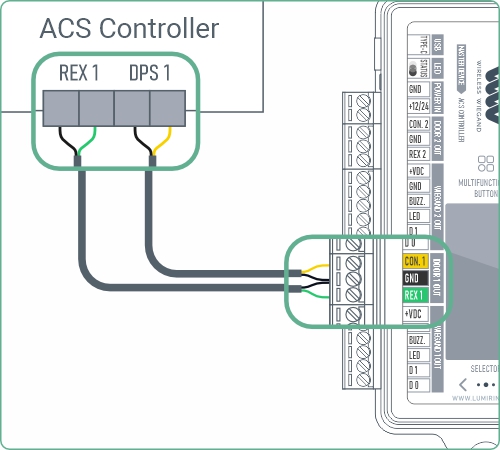
MASTER DEVICE
Controller to WW Door 1 out
LOCK Connection
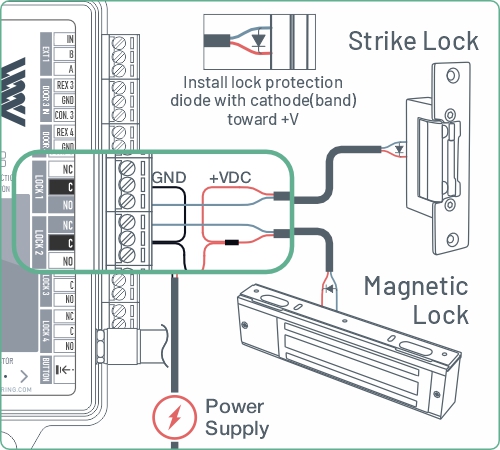
SLAVE DEVICE
Door 1 Lock to WW Lock 1 – NC or NO
Lock1-4 4 x Dry contact From C relays, 1.5A rated
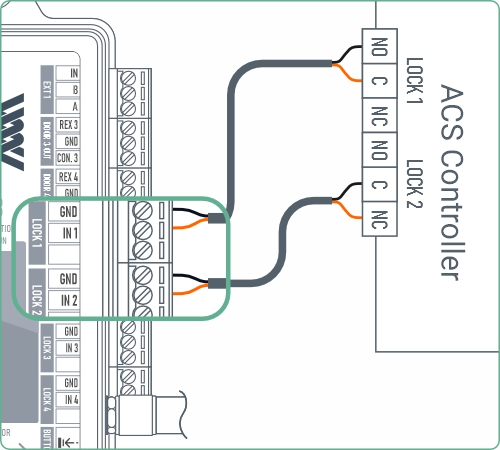
MASTER DEVICE
Controller Lock 1 Out to WW Lock in 1
OSDP Connection
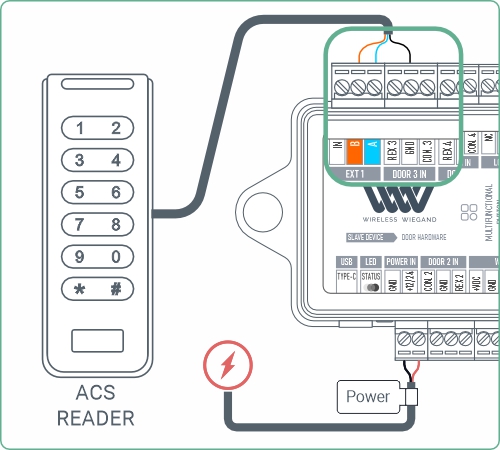
SLAVE DEVICE
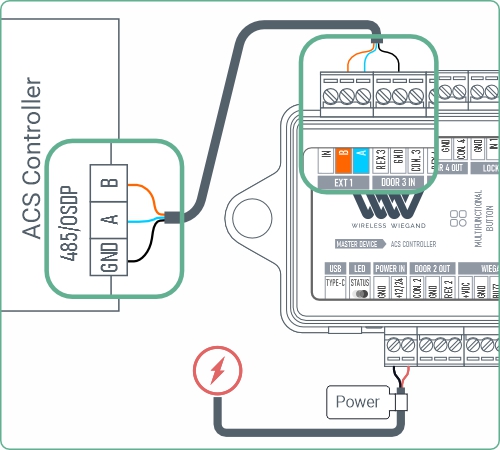
MASTER DEVICE
CAUTION-VOLTAGE PASS THROUGHSupply voltage passes to every connected device.
Each device`s rating must match the supply.
Enable OSDP for both devices
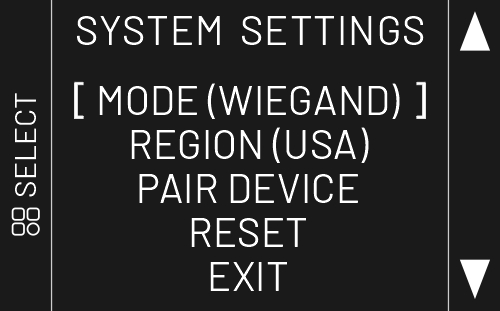
- Enter Menu: Press and hold the Select button until you hear a beep.
- Mode Settings: Choose MODE and press Select.
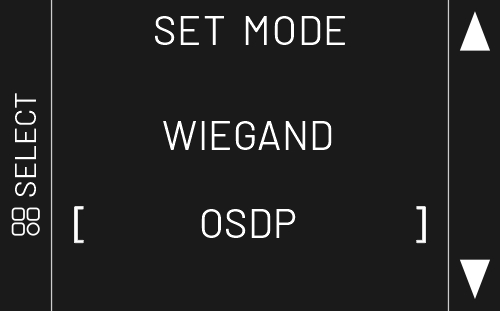
- Change to OSDP: Use the arrow buttons to choose OSDP, then press Select.
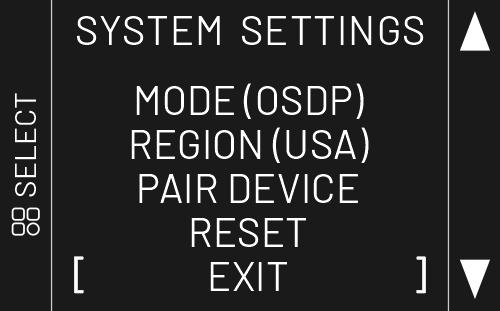
- Save & Exit: Use the arrow buttons to choose EXIT, then press Select.
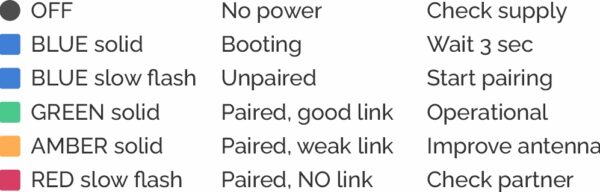
LED status & Troubleshooting
Contact us